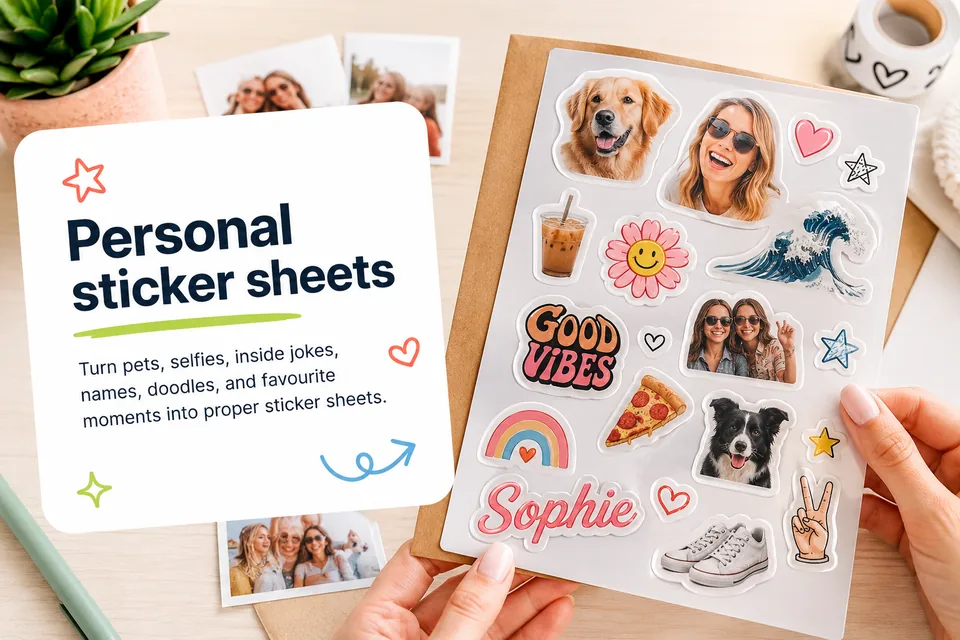
A reliable A5 kiss-cut sticker sheet template starts with a 148 x 210 mm sheet, a 6 mm outer margin, at least 4 mm between sticker cutlines, and a 2 mm safe border around each artwork shape. Keep text and faces inside the safe zone, use smooth cutlines, and check the layout at print size before production.
Use 148 x 210 mm, keep a 6 mm outer margin, and avoid placing cutlines too close to the sheet edge.
Use at least 4 mm between neighbouring cutlines so stickers peel cleanly and do not feel crowded.
Keep cutlines smooth and rounded rather than tracing every tiny detail of the artwork.
Recommended A5 template settings
Start with the physical sheet before arranging artwork. A5 gives enough room for a mixed sticker collection while staying easy to post, store, and peel.
The safest starting point is a 6 mm outer margin and at least 4 mm between sticker cutlines. If the artwork has pointed corners, delicate edges, or small text, increase the spacing.
| Setting | Recommended value | Why it matters |
|---|---|---|
| Sheet size | 148 x 210 mm | Standard A5 production size |
| Outer margin | 6 mm | Keeps cutlines away from the sheet edge |
| Sticker gap | 4 mm or more | Supports clean peeling and cutting |
| Artwork safe zone | 2 mm inside cutline | Protects faces, text, and fine detail |
| Cutline style | Smooth rounded path | Reduces fragile points and awkward peeling |
Build a sheet that feels useful
A strong sheet usually has one or two hero stickers, several useful medium stickers, and a few smaller fillers. This makes the sheet look valuable at a glance while still giving the customer practical stickers they will use.
Avoid filling every gap with tiny shapes. Tiny stickers can be charming, but too many small cutlines make the sheet harder to peel and inspect.
- Place hero stickers first.
- Group related labels and icons together.
- Keep text stickers large enough to read at print size.
- Leave breathing room around detailed artwork.
Before sending to production
Check the design at actual size before printing. Look for cramped edges, overlapping cutlines, spelling mistakes, and images that looked sharp on screen but are too small in print.
For Cricut-style cutting, production files should preserve the final physical size, layer positions, and cutline order exactly. The print file and cut file need to describe the same sheet.
FAQs
What size should an A5 sticker sheet template be?
Use 148 x 210 mm for a standard A5 sheet.
How much space should I leave between kiss-cut stickers?
Use at least 4 mm between neighbouring cutlines for most custom sticker sheets.
Can I use one template for circles, labels, and custom shapes?
Yes. The sheet template controls spacing and margins; each sticker can still have its own shape and cutline.